Devices
Motion Detector
Few lines of code that give few seconds when you need them.
Used Components:
Build notes
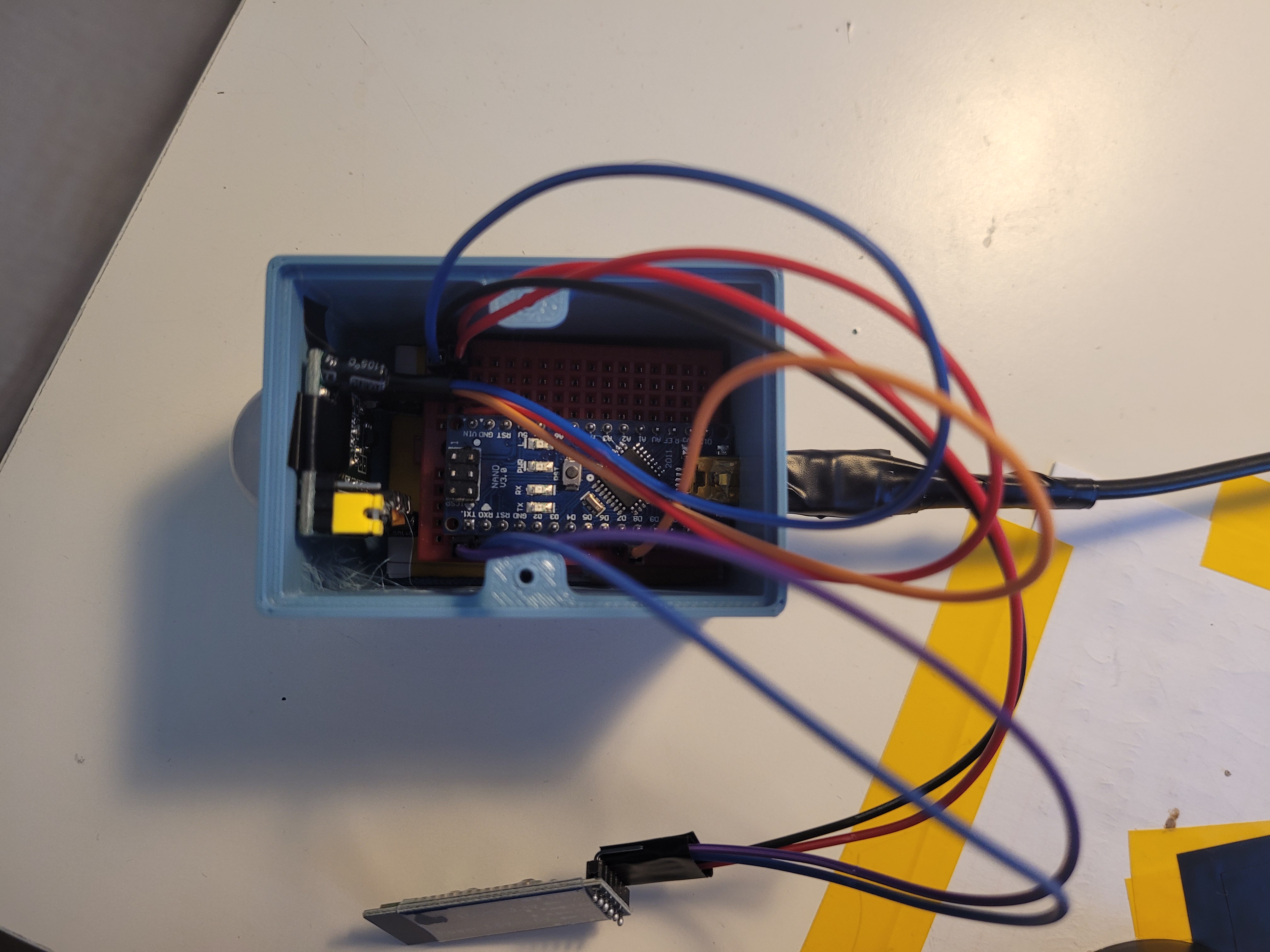
Arduino communicates with Bluetooth by UART using Serial interface. Wiring was done with breadboard and jumper wires. I didn't solder anything because I want to use the parts again.
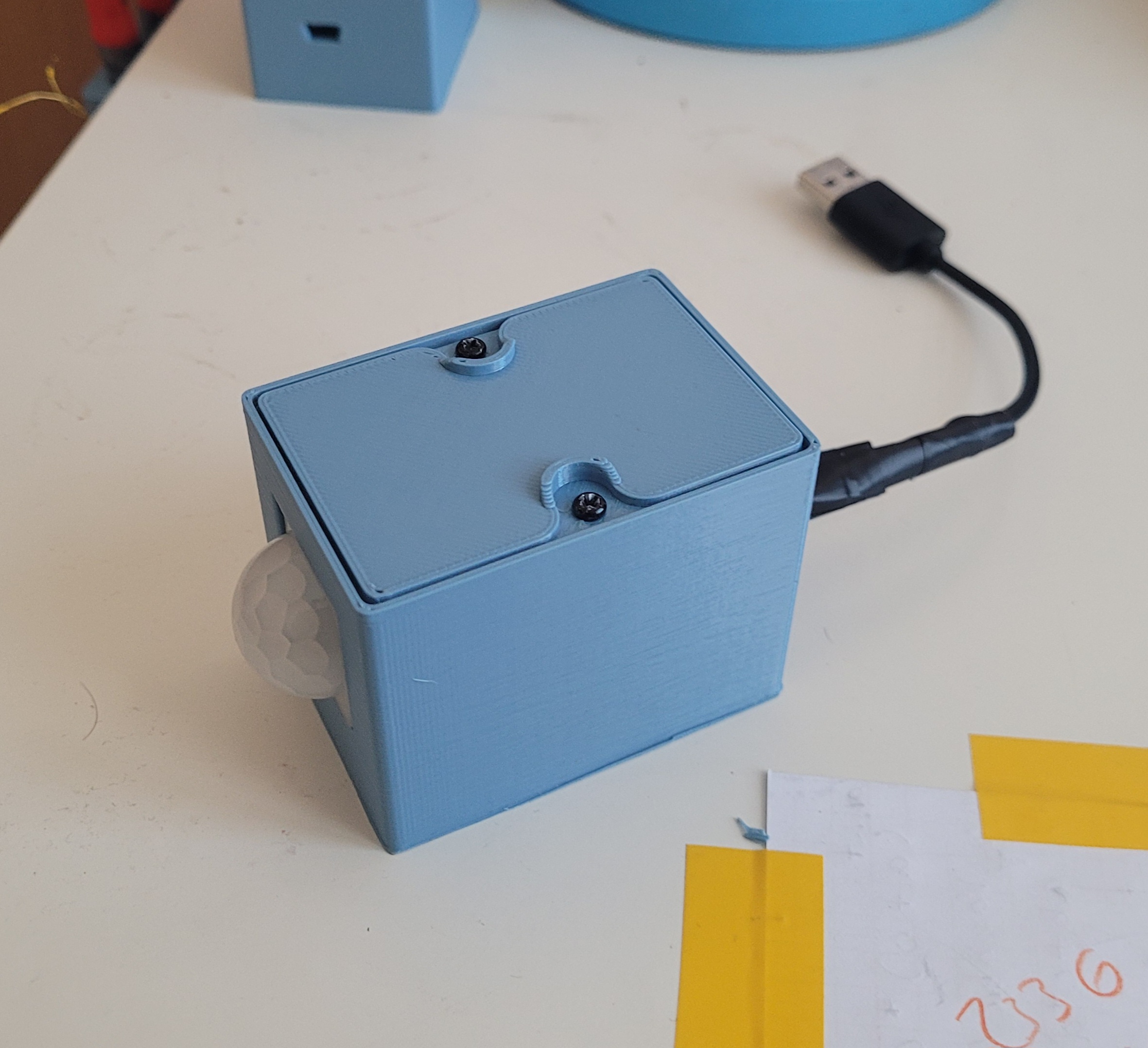
The case is made from two parts; base part and top cover part. The cover is screwed to the base with 2 screws. The base has two holes; one for PIR sensor and the second one is used for USB mini B male cable.
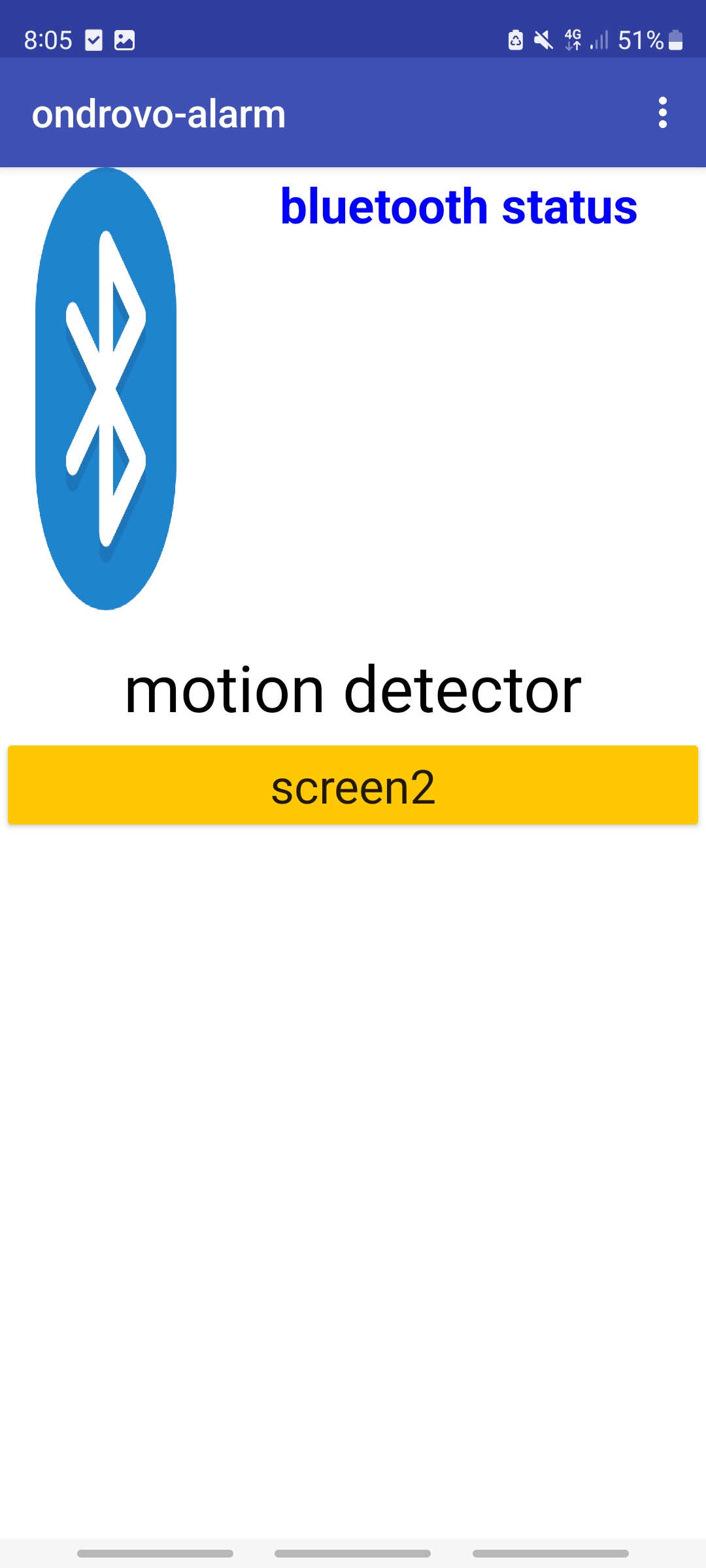
The goal for the app was to send notifications. This was far more challenging than I though, because it was rather difficult to find a compatible library that enabled my desired functionality. Important to say: the app runs on Samsung Galaxy S20 FE 5g, Android: 13, One UI: 5.1.By clicking BT logo a list of all available BT signals would display. Once a BT connection has been settled, bluetooth status would change to connected. If PIR detects something, motion detector text would change to DETECTED and a phone notification would come.
What didn't go as planned
- I struggled with PIR sensors. I had three at home, but none of them worked. This was quite frustrating because they always seemed to work but then NOTHING. Solution: I had to buy new ones.
- As mentioned previously, implementing the notification feature wasn't very joyful. Maybe it was just my fault, but the materials for most of the libraries weren't very comprehensible.
- The design for the case wasn't very practical when it came down to inserting the electronics. However, it managed to fit a work, so overall, I was satisfied.
- One last stupid thing: Every time I ordered some components or went to the shop for some wires or something(At least three times in that time period), I always forgot to get heat shrink tubing. So when I soldered the small USB B mini cable, I had to use a tape instead.